

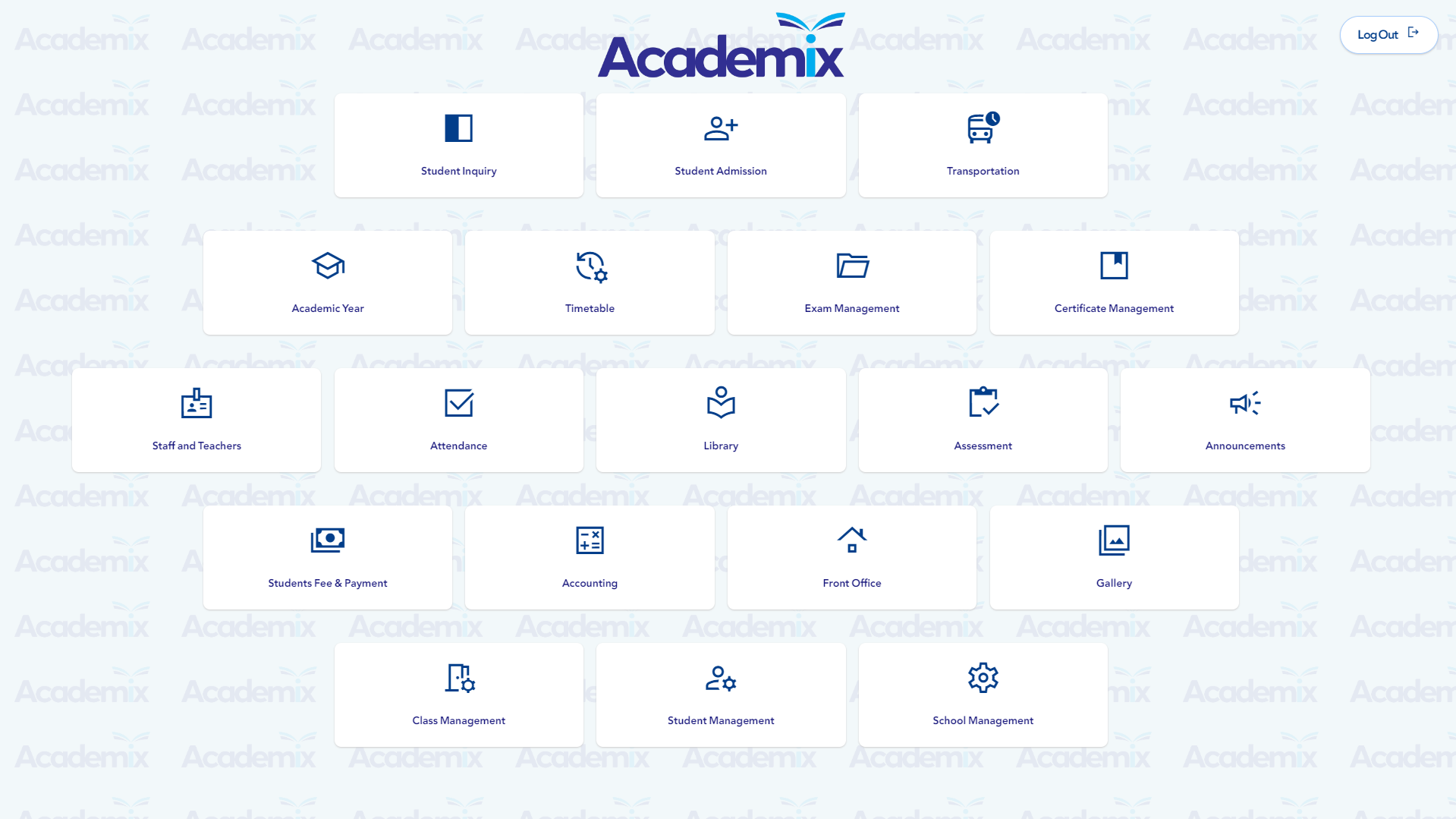

1. Student Enquiry
-
Enquiry Management
Release application forms and Keep track of the students interested in the institute.
-
Enquiry Reports
Generate comprehensive enquiry reports.
-
Follow-up
Send promotional SMS messages to interested potentioal students.

2. Student Admission
-
Student Admission
Capture all required information of Admission accepted students to new academic year.
-
Admission Reports
Generate Admission reports based of specific date ranges as per class or sections.
-
Student List
Check student records, organized and editable student information.
-
Student Transfer
Transfer students from one section to another.
-
Departed Students
Archived records for Departed students. Student re-admission is applicable.
-
General Enrollment Record
Add students enrollment records from general records books to the system.

3. Class Management
-
Academic Year Settings
Set the academic calendar date, divide the academic year to the preferred number of terms.
-
Class & Section Settings
Define your Educatoinal boards, set the classes for each board, then set any number of sections for each class.
-
Subject Settings
Create a bank of subjects, assign the subjects to the required class and teacher.
-
Class Leaders
Appoint teachers as class leaders to manage single or multiple classes.

4. Attendance Management
-
Student Attendance
Monitor student attendance records on daily bases from an easy-to-use user interface.
-
Students Leave
This section allows user to Log student absence and leave incidents.
-
Student Poor Attendance
Track students with poor attendance records.
-
Staff Attendance
Monitor staff attendance.
-
Staff Leaves
Record and log leave requests raised by staff and teachers.
-
Student & Staff Reports
Generate daily and monthly reports to review attendance performance for students or staff members.

5. Student Management
-
Student Promotion
Promote students to the next academic year, Manual and Automatic promotion available.
-
Student Promotion Confirmation
Confirm student promotion from this class, only designated/authorized administrators or teachers allowed to confirm.
-
Student Reports
Generate comprehensive student reports based on class, section, and a wide range of other criteria.
-
Student List
Filter students as per department, class, or section, then run actoins on any student required.

6. Exam Management
-
Exam Center
Create a list of exams to be assigned to all classes, EX: Half year, annual.
-
Schedule Exams
Assign exams with time and date to required classes.
-
Schedule Print
Generate a complete table of exams for each class.
-
Exam Results
Exams are finished? Insert the marks for all exams per each class.
-
Slow Learners
Track and monitor slow learners.
-
Exam Reports
Multiple forms of exams and marks reports are available.

7. Time Table Management
-
Period Setup
Setup the time slots per each day for each class.
-
Time Table
Set the subject for each time slot for each class.
-
Class Schedule
Generate a PDF or Excel version of the time table for each class.
-
Teacher Schedule
View a specific teachers schedule and print out instantly.

8. Certificate Management
-
Attendance
Generate attendance certificate.
-
Transfer Certificate
Generate transfer certificates with all required information.
-
Year Completion
Automatically generated certificates for each year.

9. Transportation Management
-
Vendors
Create list of vendors providing vehicles.
-
Vehicles
Create vehicle profiles, years in service, next oil change, mileage...etc.
-
Drivers
Create driver profiles, store personal information, driving license expiry date, years of experience, and link vehicles to drivers.
-
GPS Tracking
Track the vehicles via GPS technology, a map will be displayed to illustrate the exact location of the vehicle (Academix Mobile is required for this service).

10. Appointing Faculty and Employees
-
Staff Appointing
Appoint new staff members to your institution. Assign and designate specific staff memebers to classes and sections.
-
Staff List
View list of staff and perform a variety of actions, including performance review, role assignment, create a system account, edit or delete account..
-
Departed Employees
Keep list of employees and staff members left who have departed from your organization, rejoin feature is also available.

11. Tuition Fee Management
-
Fee Category Setup
Setup main and sub category fees with due colletion date.
-
Fee Setup
Configure the fees to be collected per class.
-
Tuition Bill
Log collected amounts from students per each term, see remaining balance, generate invoices.
-
Other Bills
Collect and log other amounts from other payment categories.
-
Reports
Generate accurate reports based on date range, classes, fee type, academic year, and educational board.

12. Finance & Accounting Management
-
Account Settings
Set required main account categories and sub-categories and specify where they belong in standard financial statements.
-
Income Streams Setting
Specify the accounts which are considered to be sources of income, such as tuition fees and any other source of income.
-
Expenses Management
Track daily expenses, associate expenses with their responsible staff members.
-
Expense Limitation
Set a threshold for expenses, the system starts sending alerts requesting permission from higher authority.
-
Financial Reports
A complete set of financial reports illustrating expenses, revenue, and profit per defined date ranges, and many more analytical reports helping you track your organizational performance and make better decisions.

13. Purchase Management
-
Vendors
Set the list of vendors frequently contacted for items usually purchased.
-
Items
Define list of items frequently purchased from the vendors to be reused and tracked easily by the system without the need to define it.
-
Purchase Request
Easily generate purchase orders by defining the items then simply saving and printing the order.
-
Reports
View and search for any purchase order via invoice number, date, and amount range.

14. SMS Management
-
Compose SMS
Create SMS messages from the system.
-
Group SMS
Create different groups of recipients, EX: Teachers, staff members and students.
-
Overdue Installment Reminders
Academix can send SMS messages to parents failed to deliver installments withing set timelines.

15. Notification Management Center
-
Cirulars
Cirulate a message to the entire institute or a specific group of users.
-
Calendar
View upcoming events, birthdays and holidays, it's also possible to add and edigt event contents and their dates.

16. Library Management
-
Cataloging
Add all physical books details to the library system such as names, authors, quantities, and shelve nambers.
-
Checking out
Assign a book to a student or a fuculty member, add borrowers credential information and set return date.
-
Late Returns
Send reminder notifications from the system to borrowers failed to commit to return dates.

17. Gallery Managment
-
Create Albums
Create student or staff albums for any specific event with the ability to set an expiry date for any album.
-
Upload Images
Choose the required album and upload images to the album.
-
Albums List
A list of all the albums in the system will be available, albums can be edited by the album creator or authorized admins only.

18. System Log Management
-
Log Tracking
Keep Log files of your user activities.
-
Log Reports
User activity Logs can be retrieved by authorized staff only.

19. System Management
-
User Accounts
Create user accounts for all system users, unlimited use accounts.
-
Create Security Group
Admin can create different groups with different access permissions to different sections of the system.
-
Apply Permissions
Add specific users to specific groups.
-
Permission Role Groups List
View and modify all Permission Roles Groups in the system.